




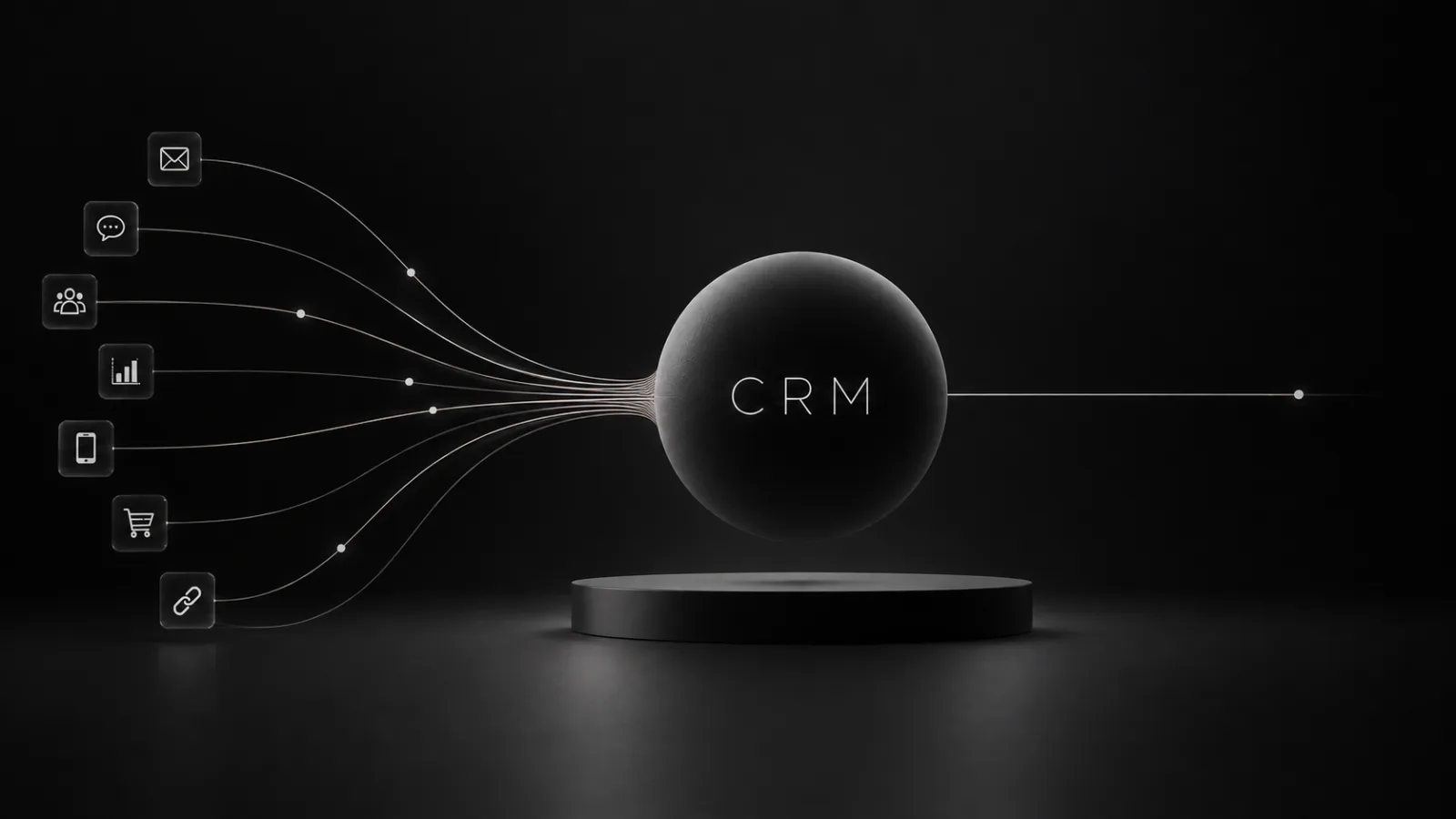
A CRM, Customer Relationship Management, is a system companies use to organise and govern their relationships with customers and prospects. It gathers information, interactions, sales opportunities and activities in a shared environment, allowing sales, marketing, customer service and management to work from the same information base. Lead generation, customer loyalty and pipeline measurement also connect within this architecture.
The definition covers both an approach to managing the client relationship and the technology platforms that put it into practice. HubSpot defines CRM as a system that centralises data and interactions and coordinates sales, marketing and service.
For a company, the value of CRM emerges above all from an organisational question: how much do we really know about the clients we are working with, and how many people can access the same information at the moment they need to make a decision?
When replies, contacts, negotiations, quotes and conversation history live across Excel spreadsheets, email inboxes and individual people’s memories, part of the commercial relationship belongs to the employees who manage it. A CRM transfers that knowledge into the organisation.
CRM: what it means
CRM stands for Customer Relationship Management. In business language the term is used in three related senses.
The first concerns CRM strategy, meaning the way the company acquires, understands, serves and retains its clients. The second concerns CRM processes, meaning the activities through which a prospect enters the system, is qualified, is followed up by the sales team, becomes a client and continues to be managed over time. The third concerns CRM software, the platform that records and links data, activities and processes.
The three layers work together. A well-configured platform can speed up work; the quality of the system depends on the rules by which the organisation gathers information, assigns responsibilities and builds the sales process.
What is meant by CRM
Three connected levels, only the third of which can be bought
Level 01
CRM strategy
The way the company acquires, understands, serves and retains its clients.
Level 02
CRM processes
How a prospect enters the system, is qualified, is followed up by the sales team, becomes a customer and continues to be managed over time.
Level 03
CRM software
The platform that records and connects data, activities and processes.
The layer you buy is the last of the three. A well-configured platform speeds up work, but the quality of the system depends on the rules by which the organisation gathers information and assigns responsibilities.
What a CRM is for
The most immediate function is to create a shared source of customer information.
Imagine a B2B company receiving a sales enquiry. The prospect fills in a form, receives a first email, speaks to a salesperson, attends a demo, asks for a quote, drops the conversation for three months and later returns with a new need. Without a central system, each of these steps can leave a different trace.
With a CRM the organisation can reconstruct who the client is, which channel they came from, what interactions they have had, who is managing them, which sales stage they are at, which products interest them, which activities are planned, which opportunities have been won or lost and what economic value they have generated over time.
The individual salesperson maintains the relationship. The company retains the knowledge of the relationship.
How a CRM works
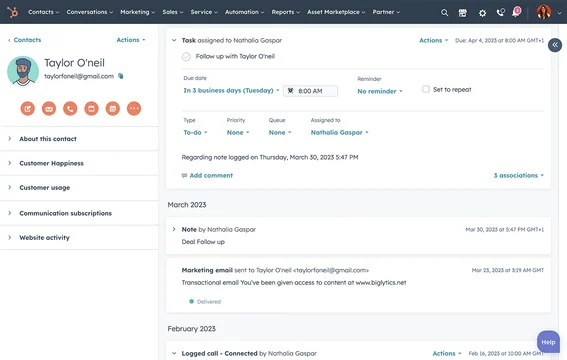
Operationally, the CRM receives information from multiple touchpoints and links it to contacts, companies, opportunities and activities. One new lead may come from the website, another from LinkedIn; a customer may reply to a newsletter, phone their salesperson or open a support request.
A typical process might follow this sequence: Lead → qualification → opportunity → negotiation → customer → retention → new opportunity. Behind this progression, automations, assignments, scoring, notifications and workflows may be at work.
A request from a company above a certain size, for example, can be assigned to a senior account executive. A prospect who takes certain actions can see their lead score rise. A deal that has stalled for twenty days can trigger a follow-up activity.
What data a CRM contains
The contact record is only the starting level. A CRM can hold identifying data on the company and the contact, role and responsibilities, lead source, emails, phone calls, meetings, notes, documents, quotes, opportunity value, products purchased, support tickets, campaigns received and data-processing consents.
The volume of information available makes it essential to establish which data genuinely hold value for the organisation. Adding dozens of fields is useful when those fields feed a decision, a segmentation, an automation or an activity.
Here, database marketing picks up where the CRM leaves off: the system builds memory, while segmentation and activation turn that memory into more relevant experiences, priorities and campaigns.
The difference between a data point and a relationship
The same contact, two levels of knowledge
One data point
What a database records
Mario Rossi works at Company X.
A governed relationship
What a CRM records
- Mario Rossi is CFO of Company X
- Requested a demo
- Is assessing a project worth 80,000 euros
- Received a proposal three days ago
- To be contacted again on Friday
CRM uses a database, but it is not a database. On the left is a piece of information: it can be searched and sorted. On the right is a commercial situation: you can decide what to do about it, and someone is accountable for that Friday.
CRM, sales, marketing and customer service
CRM and sales
For the sales function, the CRM makes it possible to govern pipeline and opportunities. Management can see how many deals are open, what they are worth, how long they spend in each stage and how likely they are to close. The salesperson keeps an orderly record of interactions and of the activities still to be carried out.
CRM and marketing
Marketing can use CRM data to link campaigns to sales results. A campaign produces fifty leads. Ten become opportunities. Three become clients. This sequence contains far more information than the simple number of conversions generated by the landing page.
Connecting marketing and CRM therefore makes it possible to see which activities generate pipeline and revenue, particularly in B2B contexts where sales conversion may happen weeks or months after the first contact.
CRM and customer service
The relationship continues after the sale. A CRM system can link support, requests, renewals, issues and upselling opportunities to the same client history. Whoever responds to a request knows what happened before: what the client has bought, who looks after them, which conversations are open and which issues have already arisen.
CRM and the sales pipeline
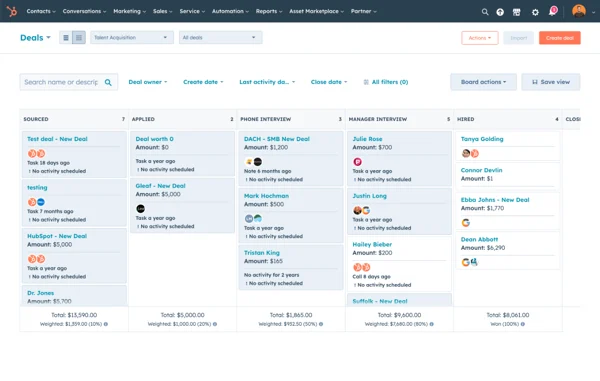
The pipeline is one of the core elements of a CRM. Each company can build stages consistent with its own process, for example: New lead → qualified → first meeting → proposal → negotiation → closed won / closed lost.
The value of the model emerges when every step has a definition. When can a lead be considered genuinely qualified? What must have happened before a deal moves to the proposal stage? Who can change the value of the opportunity?
Defining these conditions turns the pipeline into a management tool. Management can read potential revenue, the distribution of opportunities, bottlenecks and the reliability of the forecast.
Is a CRM a database?
CRM uses a database, but its organisational role is broader. A database records information; CRM links that information to processes, responsibilities and actions.
Knowing that Mario Rossi works at Company X is a piece of data. Knowing that Mario Rossi is CFO, has requested a demo, is assessing an 80,000-euro project, received a proposal three days ago and must be contacted again on Friday makes it possible to govern a commercial relationship.
CRM and Excel: where the model changes
Many companies start managing customers through spreadsheets. As long as the number of contacts and interactions remains limited, Excel can serve well as a record-keeping tool. Complexity grows as people, channels and handovers increase.
With several salespeople, the same client can appear in different files. Updates depend on manual discipline; emails stay outside the spreadsheet and reconstructing the history takes time. CRM tackles this complexity by creating relationships between pieces of information and updating the system through day-to-day activities.
The main CRM platforms
The market includes platforms that differ widely in size, architecture and audience. Salesforce remains one of the global benchmarks and, according to IDC data reported by the company in June 2026, held 20% of the worldwide CRM market in 2025. Salesforce reports its thirteenth consecutive year in first place.
HubSpot combines CRM, marketing, sales, customer service and content management in an ecosystem widely used by SMEs and growing companies. Microsoft Dynamics 365 connects CRM, data and productivity to the Microsoft ecosystem. Alongside these are Zoho, Pipedrive, SAP, Oracle, vertical platforms, open-source systems and bespoke solutions.
The breadth of the market makes “What is the best CRM?” an unhelpful starting point. The more useful question concerns the commercial architecture the system must govern: volumes, complexity, integrations, sales cycle, customer service, reporting and level of automation.
Operational, analytical and collaborative CRM
CRM systems are traditionally divided into three categories. Operational CRM manages leads, pipeline, follow-ups, campaigns and customer service. Analytical CRM uses the data produced by these activities to identify patterns, segment customers, analyse performance and build forecasts. Collaborative CRM facilitates the flow of information across departments and touchpoints.
In modern platforms these boundaries overlap. The same ecosystem can handle operational activities, dashboards, automations and cross-functional collaboration. What changes is the weight each company gives to the different components.
From traditional CRM to intelligent CRM
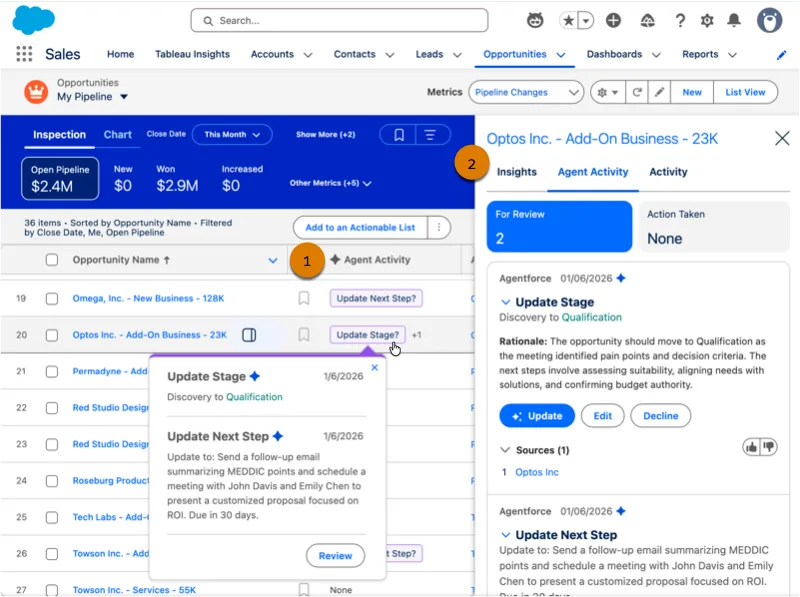
Artificial intelligence is changing the way CRM platforms are used. The leading vendors are integrating agents, generative systems and predictive capabilities into sales, service and marketing processes.
An intelligent CRM can help summarise conversations, suggest next actions, qualify leads, identify opportunities, generate communications, update information and support the forecast.
The decisive factor is context. An agent can act well when it knows the customer, the history, the permissions, the objectives and the processes. The CRM therefore becomes part of the information infrastructure on which automations and agentic systems are built. Dirty data, wrong permissions and inconsistent pipelines are amplified along with AI capabilities.
The customer cycle inside the CRM
Six stages that do not end with the signature
It is the only point where CRM shows movement rather than structure. Behind each stage there can be automations, assignments, scoring and notifications: a deal stalled for twenty days triggers a follow-up activity, a request above a certain size is assigned to a senior account.
When a company needs a CRM
The right moment depends on the complexity of the sales process rather than on the absolute number of employees. One company may have five people and handle hundreds of leads each month; another may have fifty and work with a small base of strategic clients.
Some signals, however, tend to recur:
- customer and prospect information scattered across files, emails and different tools;
- follow-ups forgotten or left to individual people’s memories;
- difficulty in reconstructing the pipeline, responsibilities and status of deals;
- unreliable forecasts, or forecasts built manually just before meetings;
- loss of sales knowledge when someone changes role or leaves the company;
- poor continuity between marketing, sales and customer care.
The benefits of a CRM
The benefits depend on the quality of the implementation. When the system fits the company’s processes, the first gain is visibility: management and teams see the same pipeline and work from shared information.
Sales continuity also improves, because activities and history remain accessible beyond the personal memory of the individual account manager. The CRM also makes it possible to measure the process: where opportunities are lost, which sources generate better customers, how long a sale takes and which segments produce the most value.
Finally, it creates an information base that can be used for automation, segmentation and artificial intelligence.
For management, these benefits must translate into observable indicators. Average lead response time, conversion rates between pipeline stages, sales cycle length, win rate, forecast accuracy, retention and average customer value help determine whether the CRM is delivering an operational and financial advantage. The system creates value when greater availability of information changes at least one of these outcomes.
When a CRM fails
Buying the software is only one part of the project. Many implementations run into difficulty when the system asks users to perform tasks with no perceived value, replicates inefficient processes or introduces too many fields and steps.
Another problem arises when the CRM is designed purely as a sales tool and other departments continue to keep separate archives. The quality of adoption therefore also depends on governance: who defines the pipeline, who owns the data, which fields are mandatory, who can create automations, which metrics reach management?
CRM and data governance
The more central the CRM becomes, the greater the value of the information it holds. Duplicate data, incomplete fields or inconsistent classifications quickly reduce the quality of reports and automations.
Governance must set criteria for data entry, updating and maintenance. An organisation may decide, for example, that each company has a single corporate record linked to multiple contacts; that opportunities above a certain value require specific information; that certain changes can only be made by authorised roles.
These rules seem technical, yet they directly affect the company’s ability to read its own market.
The CRM as decision-making infrastructure
Once the system reaches sufficient maturity, the CRM becomes one of the infrastructures through which management observes what is happening. What is the pipeline for the next six months worth? Which customers are most likely to renew? Which segments produce the best opportunities? How much revenue did a campaign generate? Where are sales cycles lengthening? This information can feed dashboards and Business Intelligence, linking sales data to finance, marketing and operations.
How to choose a CRM: 6 criteria before implementation
The choice starts from the company’s structure. First, processes, roles, data and decisions are mapped; then these needs are translated into requirements. Only at that point does it make sense to compare platforms, costs and integrations. Six criteria help build a shortlist that genuinely fits the organisation.
1. Sales process
The CRM must fit the way the company sells: B2B or B2C, short or long cycle, transactional or consultative selling, account-based management, renewals and upselling. The pipeline should reflect the actual process rather than forcing the team into stages built around the software.
2. Number and type of users
Sales, marketing, customer service and management use the CRM in different ways. Before choosing, it is worth distinguishing who needs to enter and update data, who needs to build automations and reports, and who mainly needs to consult information and dashboards.
3. Required integrations
ERP, website, e-commerce, email, advertising, customer care and Business Intelligence can all produce or use CRM data. A platform should also be assessed on its ability to integrate with these systems, the quality of its APIs and the work required to maintain the integrations over time.
4. Required automations
Lead routing, scoring, follow-up, nurturing, tasks, alerts and renewals involve different levels of complexity. Defining up front the automations that are genuinely useful avoids paying for features that will go unused, and helps establish which workflows should be native and which may require development.
5. Reporting and governance
The CRM must support the reading of the sales process as well as its execution. Pipeline, forecast, permissions, data ownership and management dashboards require clear rules. If the system allows each team to build different definitions of the same indicators, flexibility can turn into ambiguity.
6. Total cost and scalability
The licence price is only part of the investment. Implementation, data migration, integrations, training, maintenance and a growing number of users make up the total cost. A cheap CRM can become expensive when it requires a lot of external work; a pricier platform can prove more efficient if it already fits the existing architecture.
The best platform is the one that fits the process the company wants to govern and that the team can genuinely adopt. Comparing features comes after the architecture has been defined.
For companies that need to design or review their complete architecture, Bliss has a page dedicated to CRM consulting. The work covers analysis of sales processes and data, definition of the CRM strategy, support through implementation and monitoring of adoption.
In the Bliss model, Advisory clarifies which processes and information must support decisions. Governance assigns ownership, rules and criteria. Operations configures integrations, automations, dashboards and technology infrastructure. Platform selection comes within this architecture.
30-minute conversation
Is your CRM building knowledge or merely accumulating data?
A thirty-minute conversation with the Bliss team will help you understand whether pipeline, data, automations and responsibilities are genuinely supporting sales and decisions, and which CRM architecture would make sense to build before choosing or changing platform.
Domande frequenti
What is the difference between CRM and CRM software?
CRM refers to the set of strategies, processes and technologies used to govern the relationship with clients and prospects. CRM software is the platform through which many of these activities are recorded, automated and measured.
Can a small company need a CRM too?
Yes. The need depends above all on the complexity of the commercial relationships, the number of interactions and how many people need to share information. Even a small team can quickly pass the point at which spreadsheets, emails and separate notes slow the work down.
What is the first step in implementing a CRM?
The first step is to map the existing sales process: how a lead comes in, who qualifies it, what information is collected, how a deal progresses and what data management needs. This map then makes it possible to assess platform, configuration and automations.
Are CRM and ERP the same thing?
No. CRM mainly governs relationships, sales, marketing and customer service. ERP oversees operational, administrative and financial processes such as accounting, warehousing, purchasing and production. In mature architectures the two systems are integrated and share some of their data.
How can Bliss help with choosing and implementing a CRM?
Bliss starts from the processes, data and decisions the system must support. CRM advisory can include an audit of the existing set-up, architecture definition, platform selection, integration requirements, data governance, adoption and KPIs. The aim is to prevent the software from becoming an expensive archive and to build an infrastructure genuinely used by the team and by management.
Fonti e riferimenti
- HubSpot, What is CRM? Guide to Customer Relationship Management
- Salesforce, Salesforce Ranked #1 CRM Provider for 13th Consecutive Year
- Bliss Agency, Consulenza CRM
- Bliss Agency, Database Marketing: cos’è e perché è cruciale
- Bliss Agency, Business intelligence: cos’è, come funziona e cosa non riesce a misurare